Available on the Mac App Store
ZipSmith
Open, create, and extract ZIP, 7z, TAR and more — from a native macOS window or the right-click menu. AES passwords for ZIP and 7z. Files stay local on your Mac.
Version 1.0 (build 25) is available to download from the Mac App Store.
App Store
Download on the Mac App Store
Create and extract ZIP, 7z, TAR and more on macOS — with AES passwords, one-click actions from the right-click menu, and fully local processing.
 Scan the QR code
Scan with your phone to open the App Store listing.
Scan the QR code
Scan with your phone to open the App Store listing.
Details
What ZipSmith does
This description matches the released app. Build 25 creates ZIP, 7z and the TAR family, extracts those plus RAR/RAR5, and handles AES-encrypted ZIP and 7z — all processed locally on your Mac.
Create ZIP, 7z, TAR, TAR.GZ, TAR.XZ and TAR.BZ2 archives, with a selectable compression level.
Extract all of those plus RAR / RAR5 and other common formats — in full or just the entries you pick.
Protect and open AES-encrypted ZIP and 7z archives with a password.
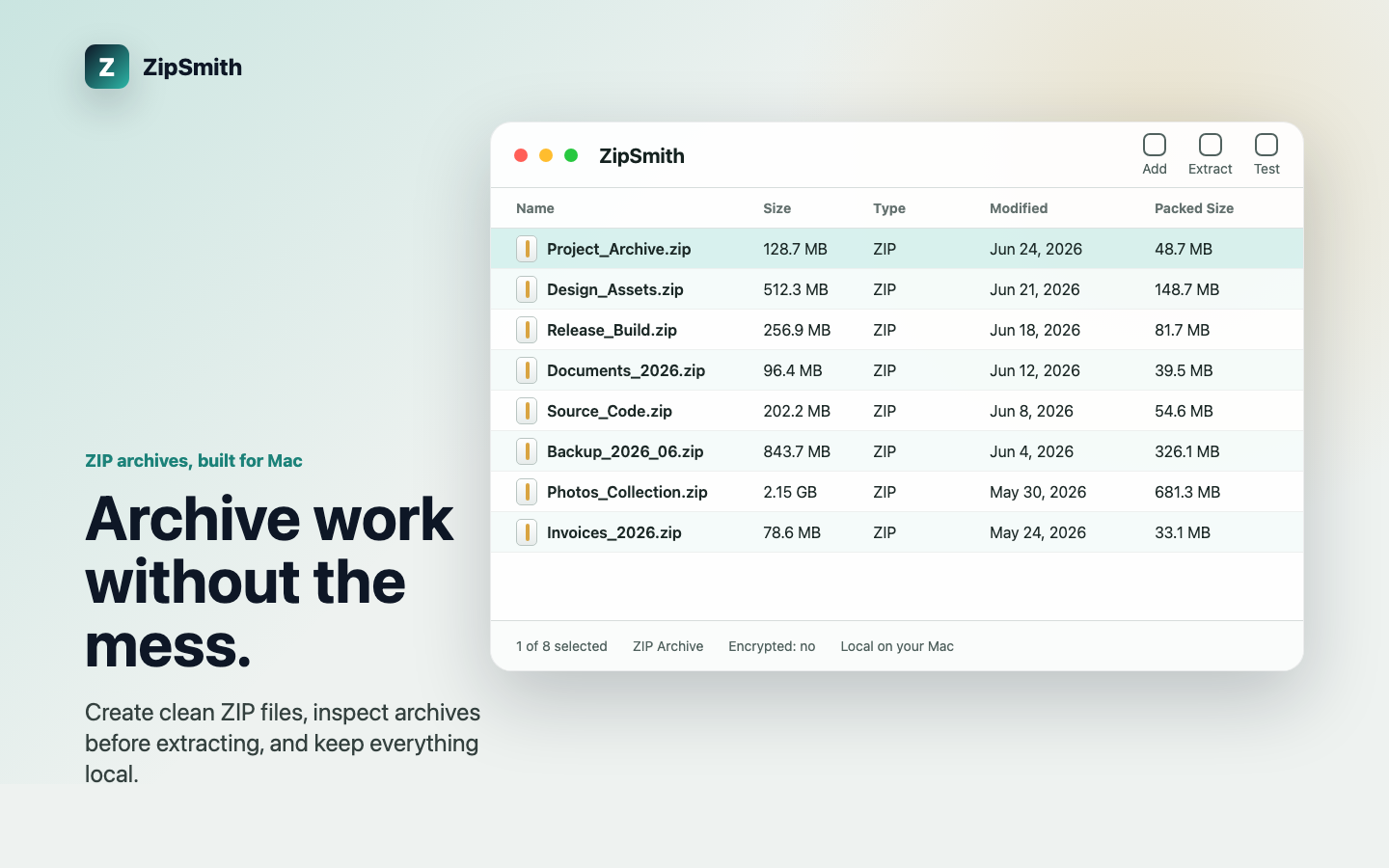
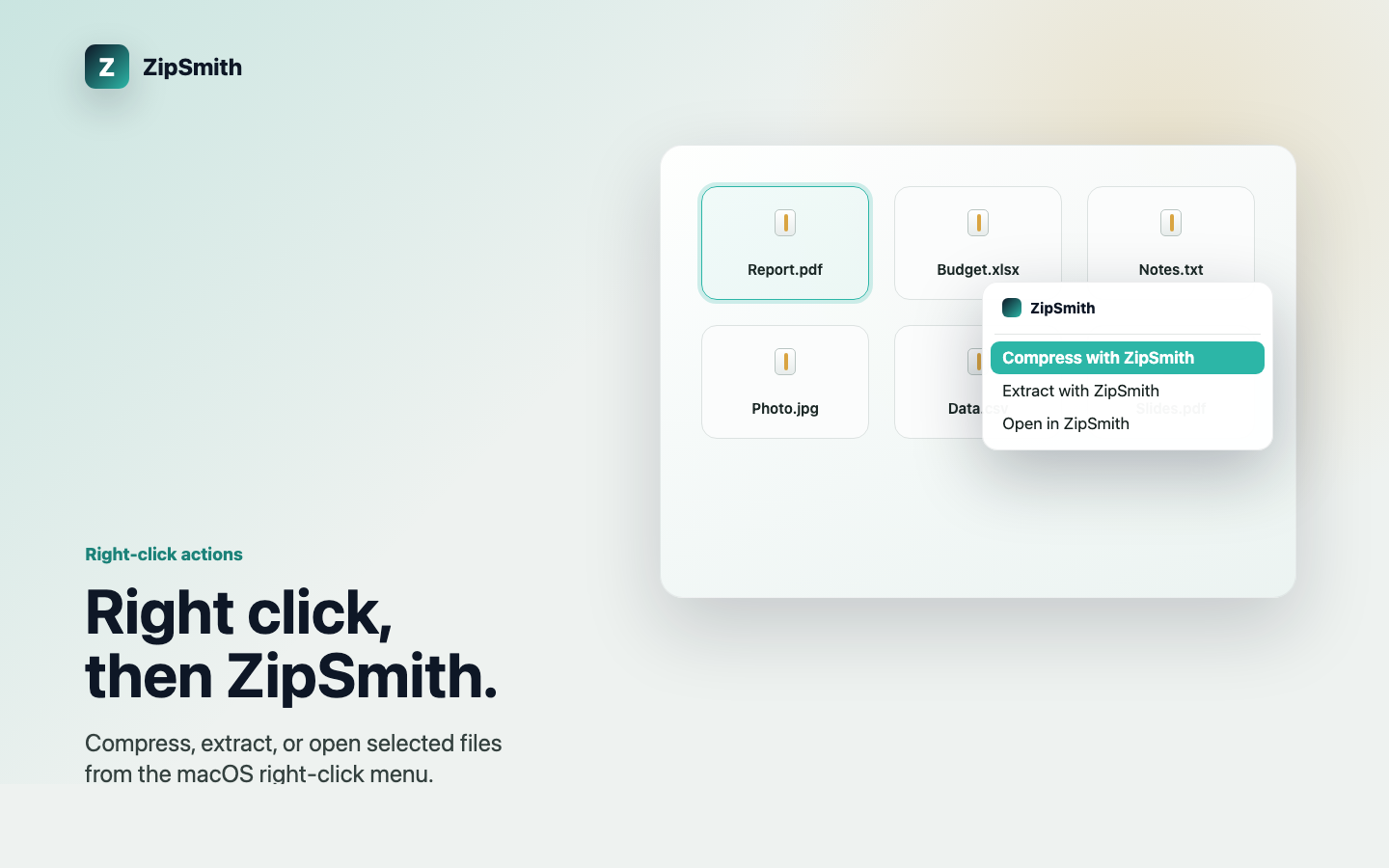
Browse archive contents before extracting, and compress, extract or open straight from the right-click menu.
Runs locally — no account, ads, analytics SDK, tracking, or file uploads. One purchase, no subscription.
Screenshots
Create and extract ZIP, 7z, TAR and more on macOS — with AES passwords, one-click actions from the right-click menu, and fully local processing.
Archive support scope
This description matches the released app. Build 25 creates ZIP, 7z and the TAR family, extracts those plus RAR/RAR5, and handles AES-encrypted ZIP and 7z — all processed locally on your Mac.
- Create: ZIP, 7z, TAR, TAR.GZ, TAR.XZ and TAR.BZ2, with a selectable compression level.
- Extract: all of the above plus RAR / RAR5 and other common formats, in full or by selected entries.
- Passwords: create and open AES-encrypted ZIP and 7z archives.
- RAR creation is intentionally omitted (the format is proprietary; RAR is extract-only). Damaged or uncommon archives may still need manual checking — keep the original file before extracting.